

Two RMMs walk into a phish…





Dave Bittner: Hello, everyone, and welcome to the CyberWire's Research Saturday. I'm Dave Bittner, and this is our weekly conversation with researchers and analysts, tracking down the threats and vulnerabilities, solving some of the hard problems, and protecting ourselves in a rapidly evolving cyberspace. Thanks for joining us. [ Music ]
Alex Berninger: So remote monitoring and management tools basically allow remote users to access and administer devices with ease. So they can be used by internal IT operations daily, so they're used for things like applying updates, managing assets, deploying software, things like that. The biggest issue here is that because they have all of these features, they're also leveraged by adversaries, and it really allows adversaries to blend in or even impersonate an organization's IT or a vendor, and they really allow adversaries to start to have that persistent access and then start to move laterally.
Dave Bittner: That's Alex Berninger, Senior Manager of Intelligence at Red Canary, and Mike Wylie, Director of Threat Hunting at Zscaler. The research we're discussing today tracks four phishing lures and campaigns dropping RMM tools. [ Music ] Well, Mike, the team here identified the campaigns using a variety of tools. Can you walk us through what exactly you all discovered here?
Mike Wylie: Sure. So, you know, coming from the vendor side, we've got a unique perspective. We've coined this term "Hawkeye Hunting," and essentially what that means is that when you're defending your own organization, it's kind of like looking out of the captain's chair, the windows of a battleship, and you only have a certain perspective, right? You can see about 2.9 nautical miles before there's the curvature of the earth. So you have this limited visibility. With our visibility, we can dip into the metadata. So think of somewhat similar to NetFlow or DNS logs, firewall logs, of the Zero Trust Exchange. And so, in that, we're able to see fast-moving campaigns, we're able to tie pieces together. Whereas an organization defending their own battleship, they can only see what's right in front of them. And so, what we were doing is we were looking for different abuse, I would say, or leveraging from a threat actor of these legitimate resources. And so, we have these hunts that are ran 24/7 for looking at things like abuse of S3 buckets or Cloudflare R2 buckets, and what our team discovered was that at the peak of the campaign, we were seeing about a hundred instances of this per week, where these legitimate remote desktop tools were being packaged up in an MSI, and they were then being hosted at these trusted resources. So we often see GitHub, things like file sharing storage solutions, R2 buckets, and they're putting these legitimate signed binaries, which, as Alex said, they are used by IT personnel for legitimate reasons, and they're downloaded from a legitimate resource. So we're not seeing evil.com or some attacker-owned infrastructure. They're using legitimate third-party tools, legitimate websites, legitimate resources on the web for this campaign. And then, what they're doing is that they're renaming these tools. So rather than being something like PDQ.MSI or AnyDesk.MSI, they're naming them things that you wouldn't normally see from a IT department. So the one I saw most recently was W9 underscore 2025.MSI. So they're masquerading the file names and then using these trusted resources, and we saw that happening more and more. And as we saw that, we expanded our hunting methodology. And then, we were able to see, again, at the peak of this, about a hundred different events within the course of a week.
Dave Bittner: Well, let me switch back to you, Alex, here. I mean, the research mentions that there are four main phishing lures. Can you walk us through what you all observed?
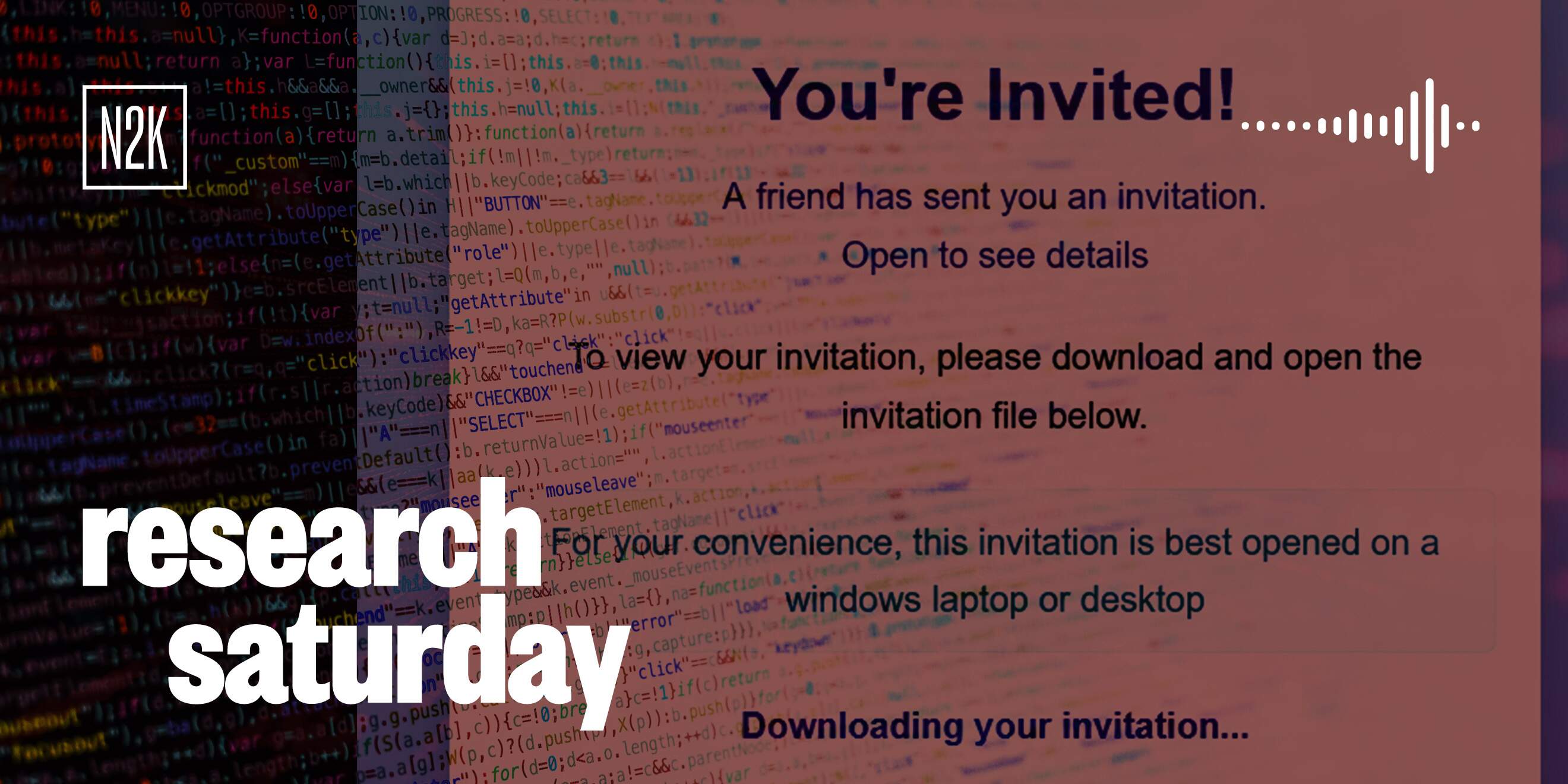
Alex Berninger: So we observed four main phishing lures, and these are across fake browser updates. And so, this is essentially where a user will get to a website or they'll be trying to navigate to a website, and instead, they'll reach -- the web page will say, you cannot navigate to this website unless you update your Chrome. These are largely all Chrome browser updates, and if the user clicks, yes, I'll update my website with the link that's on the page, it will actually download one of these RMM tools. The other ones are fake meeting invitations, so this could be more like a work meeting. Fake party e-invites is another popular lure that we've started to see an increasing frequency. And then, the final one is fake government forms, so like IRS or Social Security forms. And so, I think when it comes to all of these lures, it really can come down to user education on making sure that the web page that you're visiting is what you would expect. And so, with the fake government forms, making sure that you're getting to a.gov. If you're getting meeting invites or party invites, e-invites are those things that you expected. If not, can you contact where that came from, that person, to see if it's legitimate? And for the fake browser updates, making sure that you understand how Chrome usually delivers their browser updates and that it's not going to usually surface on a web page like this can be really helpful. But, of course, whenever I mention user education, I always want to caveat that user education is not a panacea for security controls. It can be really helpful. However, relying on all users to not ever click a phishing link or navigate to a phishing site is unrealistic. And so, making sure that you have controls beyond that on detection to be able to identify what happens next is really important for all organizations.
Dave Bittner: Well, and help me understand what is especially tricky about detecting these attacks once these RMM tools are installed?
Alex Berninger: Sure, and I really think that just comes down to the fact that these RMM tools are used legitimately. That can make it really hard to detect when they're not being used in a legitimate way. I think that it's really important that all organizations try to limit the amount of RMM tools that are allowed in their environment to as small of a whitelist as possible, and that can start to -- that can help them identify those deviations, or RMM tools, that don't fit within that that allow list that they have. And then, if -- I'm sure if the RMM is being used maliciously, look at what's normal for these applications. Like Mike mentioned, oftentimes, they were changing the file name, so that can be a key indicator. Downloading and running it from a nonstandard directory or making suspicious network connections can all be really good indicators for detection.
Dave Bittner: You know, the report mentions that the adversaries would sometimes deploy two RMM tools back-to-back. Help me understand that. What are they trying to get with that tactic?
Mike Wylie: I was going to say the I think they're looking for persistence, and having just one tool, there's risk that it will be removed or blocked at some point in time. And so, by having redundancy built in, they can ensure that they have access to that, even if one of the tools is cleaned up. And from our perspective, looking at Zscaler threat hunting customers' telemetry, I think the lowest number of unique RMM tools that we have seen in an environment of a new customer has been seven unique tools, and I think on the max was about 20. We catalog and categorize different RMM tools and the artifacts that they leave behind, both on the network side and then the endpoint telemetry. And I think a lot of organizations have a hard time keeping up with that, right? There's new RMM tools that are added to the list every day. Last I checked, our team was tracking over 160, 1-6-0, 160 different RMM tools. So even Chrome has an extension that you can use for remote desktop. It's just very prevalent, and it's difficult to keep track of that. When we work with customers and identify that and show them the risks, you know, there's a lot of big threat actors in the news right now that are using remote desktop tools. I think that's really helped with organizations having better hygiene around remote desktop tools. Before that, I would talk to customers sometimes and tell them about the risks and that they have over 10 different remote desktop tools in their environment, and they would say it's just not a priority. They want us to focus on hunting for APTs, but when I show them use cases and this this blog now that we publish showing that this is a real risk and it's not just shadow IT or an unwanted program, that there are real risks associated with those backdoors, and what we have seen in a couple of cases is that there's info stealers that happen after the RMM tools are installed. And then, in some cases it looks like pre-ransomware deployment. So it's not just an unwanted program, it is a gateway for all kinds of malicious and risky activity on the endpoints. But I think the hard part is just it's as Alex said, it's a legitimate tool, you know, and it's authorized by a lot of antivirus programs and EDR programs, other security tools that you might have in your toolkit. And so, by default, these things are allowed and it's very hard to keep track of them and just allow the good and not allow the ones that maybe you don't want in your environment.
Alex Berninger: Yeah. And I think to add on to that, when the adversaries are downloading multiple, then it might -- one of those might be detected and the organization might remove it, but they'll still have that persistent access via a different RMM tool. So if they diversify how many they're using, it's just going to increase the likelihood that they pick one that the organization is using legitimately. [ Music ]
Dave Bittner: We'll be right back. [ Music ] Well, let's talk about defenders here. I mean, what are some of the key warning signs, the things that they should be looking for, that would indicate that an RMM tool was being misused rather than being used legitimately?
Alex Berninger: So I think the first thing from the endpoint perspective, and then I'll let Mike jump in as well, from the endpoint perspective, making sure that you deploy endpoint visibility and detection and response sensors across every system that can host it is really important. If you don't have monitoring and EDR on a system, then it allows adversaries to just operate at will oftentimes. And then, when it comes to detecting the RMM tools, really identifying what looks -- what's normal for these applications is really important. So, again, looking for that change in the file name and downloading it and running it from a different directory than what's typical for normal usage for that RMM tool, or what you're using in your organization, or making any kind of suspicious network connections are all going to be really key indicators for identifying those RMM tools.
Mike Wylie: My perspective is that it's best to limit what's allowed in the environment from the beginning. It becomes difficult once you let this -- I'm going to call it a risk for a threat -- into your environment because knowing the intention and then tracking all the different use cases, what happens after is a much bigger job than just stopping it from the beginning. Not allowing these tools in the environment, downloads of them, not letting them, the processes, to even start running, that's going to be the best defense. The analogy I'll give is it's a lot easier to keep people out of your house who you may or may not want coming into your house rather than letting anyone in the front door and then trying to figure out what their intentions are or what they're going to do in your house, right? Having that perimeter and not letting them in, in the first place is going to be the best, best thing for organizations.
Dave Bittner: So where do you suppose we're headed with this? To what degree do you see this type of approach being effective and being used in the future?
Mike Wylie: I think that my biggest concern is that the threat actors across the globe, whether they're nation state or e-crime or hacktivists, is that they will start to realize how effective and how easy this is. And then, it will lead to whatever action objective they have, right? So each threat group has their own typical action objectives, with some exceptions, and when they see that these tools are generally allowed to run in most environments, these websites are difficult to block -- think about if you tried to block AWS, if you tried to block GCP, Azure, Cloudflare, you'd be blocking a majority of the Internet, which is not reasonable for most businesses. So it's not as easy as just blocking an anatomic indicator, like a domain or an IP address that might be malicious. These are big tech giants and most of the Internet's run on these things. So I think that once this becomes more well known in the different threat groups, then it may lead to anything and everything, whatever their action objectives are, right, so more ransomware, more espionage, more whatever the DPRK is going to do next after they're done with IT workers. All these different action objectives will happen because it is a very easy beachhead for any type of attacker.
Dave Bittner: Alex, any final thoughts?
Alex Berninger: Yeah, I would agree with that. I don't see this decreasing in the near term because right now it's really working and adversaries are going to do what works, and what these RMM tools give adversaries is, essentially, that backdoor with that veneer of legitimacy. So they're not having to create a bespoke backdoor that could then be identified more easily. You know, these are being used across -- as Mike said -- across the spectrum from espionage to cybercrime because they work and because they give that ability for adversaries to blend in and hide in an environment. And the other thing that I would add is that from the threat intel perspective, these can really complicate attribution, because you're not being able to attribute on bespoke malware or specific behaviors of an adversary. And so, these can complicate attribution. So even if they are identified, it might be a little bit harder to know exactly what that end goal was going to be and what that action-on objective was going to be.
Dave Bittner: Alex, how do you rate the sophistication of these threat actors? Where do they stand compared to other folks we deal with?
Alex Berninger: Yeah, that's an interesting question, and I think it really depends on how you think of sophistication. If you think of sophistication as this really complicated malware that can do all of these different things, then maybe these threat actors aren't sophisticated in that way because they're not writing their own malware. But they are sophisticated in the way that they're able to achieve those actions, get that backdoor access, sometimes get it, that backdoor access, in persistent ways with multiple different tools and be able to move towards their actions on objectives. And then, from there, it probably depends on their sophistication on how far can they get from there, depending on an organization's ability to detect them and then their ability to continue to blend in? So it's really hard to answer, I think, the sophistication question with this one.
Dave Bittner: Mike, do you concur?
Mike Wylie: Yeah, I think if I had to, you know, put a bet on it, I would say it's lower sophistication, but as Alex said, like, we're still investigating this. It's still an ongoing campaign. It's fairly new, in a matter of weeks, that we've seen this big uptick, so there's still a lot of unknowns around it. The closest thing that we can likely attribute to at least a couple of the cases has been ransomware as a service. So the current theory is that this is someone that's come up with this, I'll call it "the kill chain" or the "attack lifecycle" and which tools to use, and they're selling it somewhere, which is probably why it's so prevalent. But, you know, I think that nowadays, sophistication is less important for organizations, and really, the success of attack, and it's more about how hard is it to detect or block? And in this case, it's incredibly difficult to block. I think the easiest or the lowest hanging fruit of this would be blocking the process creation of the 160 different RMM tools, but because these MSIs could be staged on any location on the Internet and most of them being trusted resources and needed for business, it's not really reasonable unless you do things like block all MSIs, EXEs and PowerShell files from being downloaded across the entire Internet. And in some cases, I talked to a customer that was in charge of the InfoSec for a law enforcement agency, and they had originally almost ignored our threat hunting finding on this because they said they were using this -- I won't name which one -- but remote desktop tool in their environment, which we found. And so, they thought it was benign or a false positive. But then they ended up giving us a call and we talked through it and showed them that, you know, yes, you might be using this remote desktop tool, but does your IT department call it W9 underscore 2025 dot MSI, and do you let your IT folks download it from R2 buckets or do you have it on a share internally or you download it from the vendor's website? And that's when they realized, okay, this is an incident, and it's not just, you know, the tool that's authorized in our environment. So even though I -- if I had to guess, and I don't think we have a lot of data or attribution to really say for sure, so it's very low confidence, I would lean towards less sophistication, but I don't think that that's as important. I think the difficulty in preventing this is the real thing here, and most organizations can't prevent it, which then means they need to be doing threat hunting. And a lot of organizations don't have the resources to do that 24/7 and look for all these nuances relating to it. [ Music ]
Dave Bittner: Our thanks to Alex Berninger from Red Canary and Mike Wiley from Zscaler for joining us. The research is "Four Phishing Lures and Campaigns Dropping RMM Tools." We'll have a link in the show notes, and that's Research Saturday brought to you by N2K CyberWire. We'd love to know what you think of this podcast. Your feedback ensures we deliver the insights that keep you a step ahead in the rapidly changing world of cybersecurity. If you like our show, please share a rating and review in your favorite podcast app. Please also fill out the survey in the show notes or send an email to cyberwire@n2k.com. This episode was produced by Liz Stokes. We're mixed by Elliot Peltzman and Tré Hester. Our Executive Producer is Jennifer Eiben. Peter Kilpe is our publisher, and I'm Dave Bittner. Thanks for listening. We'll see you back here next time. 6 [ Music ]